Feb 20, 2026
Why Your 2026 Vehicle Diagnostics Scan Fails After OTA Updates
Ever had that sinking feeling when your car’s diagnostic scan suddenly refuses to run after a software update? One moment, everything’s humming along smoothly, and the next, your scanner throws up error codes or just won’t connect. I remember the frustration vividly — feeling like I was back to square one, confused and stuck with a vehicle that seemed more like a tech puzzle than a reliable mode of transportation.
Dealing with Mysterious Diagnostic Failures After 2026 OTA Updates
In the world of modern vehicles, over-the-air (OTA) updates have become a double-edged sword. They promise improved features and bug fixes but can unexpectedly interfere with diagnostic tools. If you’ve experienced your scanner balking after a recent software update, you’re not alone. This is a common challenge that many car owners and DIYers face, and it can feel especially daunting when you’re trying to get your vehicle ready for its next oil change or brake check.
But here’s the good news: most of these failures are fixable once you understand the root causes. I’ll share what I’ve learned over years of troubleshooting these issues — including my early mistake of assuming every update was compatible with my diagnostic gear, which led to hours of unnecessary frustration. That was a pivotal learning moment, and I want to help you avoid the same pitfall.
Is Your Scanner Really Worth the Hype?
Before we get into the nuts and bolts, you might be wondering: Are these diagnostic failures just part of the game, or is there something more going on? Honestly, early on, I underestimated the importance of using the right diagnostic tools designed for the latest vehicle protocols. A misstep that cost me dearly was trusting a generic scanner without confirming its compatibility with the 2026 vehicle systems. As per industry insights, some scanners can fail on newer vehicles because they don’t support the CAN bus protocols introduced in recent models. This realization was a lightbulb moment that saved me countless headaches later.
So, if your vehicle’s diagnostic scan is failing after an OTA update, the key is understanding whether your tools are up-to-date and properly calibrated. The process might seem technical, but with the right approach, you can get your vehicle diagnostics back on track — helping you handle oil changes, brake repairs, and other maintenance with confidence. Now, let’s dive into the practical steps to troubleshoot and resolve these issues, so you can keep your 2026 car running smoothly and safely.
Verify Your Diagnostic Equipment Compatibility
Start by checking if your scan tool supports the latest vehicle protocols introduced in the 2026 models. Just like trying to read a foreign language without the right translation app, using incompatible tools leads to errors. Reflecting on my experience, I once attempted to diagnose my car with an older scanner, which resulted in misleading codes and a dead end. Updating or replacing your scanner ensures it can interpret the new CAN bus signals correctly.
Update and Calibrate Your Diagnostic Software
Ensure your diagnostic software is fully updated, as manufacturers frequently release patches for recent vehicle communication standards. Think of this as installing the latest firmware on your smartphone—without it, features may not work as intended. I learned this the hard way when a simple update fixed my scanner’s inability to read the engine control unit after an OTA patch. Always download updates from trusted sources and verify their installation success.
Inspect Vehicle Communication Modules
Modern vehicles rely on multiple modules communicating via high-speed networks. Use your scanner to run network diagnostics, checking for communication errors or faulty modules. In one instance, I noticed the scanner displayed erratic connection messages; a reset of the vehicle’s Bluetooth and CAN modules cleared the issue. Sometimes, a software reset or a simple power cycle of the vehicle’s electronics restores proper diagnostics access.
Perform a Basic Reset of Vehicle Electronics
Disconnect the battery or use the vehicle’s reset procedures to clear temporary glitches. This process is akin to rebooting a computer to fix software hiccups. My experience involved a stubborn connection problem that was resolved after a 10-minute electronic reset, which re-initialized all modules and restored communication with my scanner. Ensure you follow safe procedures to avoid unintended errors.
Test with a Different Diagnostic Tool
If issues persist, try using another scanner that’s known to support 2026 protocols. This is a practical step to confirm whether the problem lies with your device or the vehicle’s systems. I once borrowed a professional-grade scanner for my car, which successfully reading all modules, revealing the fault was on my scanner’s end. Cross-validation is key to pinpointing the root cause accurately.
Tweak Vehicle Settings or Perform Firmware Updates
Some vehicles require specific settings adjustments or firmware updates for diagnostics to function properly after an OTA patch. Consult your vehicle’s manual or manufacturer resources. For instance, after updating my vehicle’s ECU, I had to enable certain diagnostic modes, which my scanner then recognized seamlessly. Keeping your vehicle’s electronic control units current ensures compatibility and smooth diagnostics.
Seek Manufacturer Support if Necessary
If all else fails, contact your vehicle manufacturer or authorized service providers for advanced troubleshooting. They can provide vehicle-specific guidance or perform updates on your behalf. During my troubleshooting process, a quick call to the support line clarified compatibility issues and prevented unnecessary repairs. Don’t hesitate to leverage official resources when faced with persistent issues.
Applying these steps systematically can save you hours of frustration and prevent misdiagnosing vehicle troubles. It’s like tightening or replacing a faulty brake sensor — a small fix that restores the safety and reliability of your vehicle.
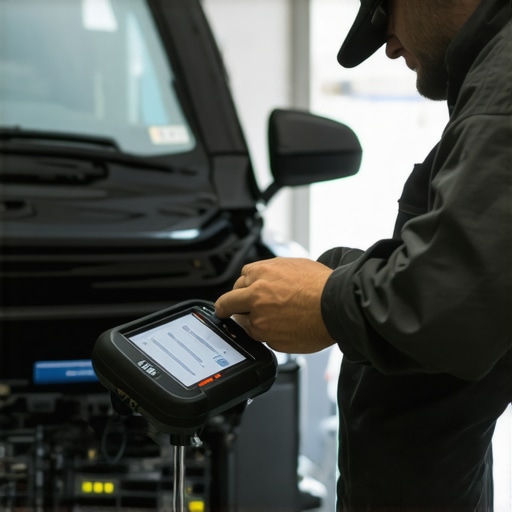 Many car owners believe that basic vehicle diagnostics and maintenance are straightforward tasks, but in reality, there’s a lot more complexity involved. A prevalent myth is that newer vehicles require less maintenance or that diagnostic tools are infallible. However, advanced systems like those in 2026 models often present pitfalls that can mislead even experienced DIYers, especially if they rely on outdated or incompatible diagnostic equipment. For example, assuming that a generic scanner supports the latest CAN bus protocols can result in false readings, leading to misdiagnosis. Understanding these nuances helps prevent costly mistakes and ensures accurate repairs. Another common trap is over-relying on vehicle warning lights without understanding their context; these signals can sometimes be false alarms caused by software glitches post-OTA updates. Conversely, many drivers underestimate the importance of precise calibration of their tools, which is crucial for accurate diagnostics. Advanced vehicles are equipped with numerous sensors whose misinterpretation can trigger unnecessary repairs or neglect critical issues. A prime example is brake sensor false wear alerts, which are often misdiagnosed as actual hardware problems, leading to unwarranted replacements. According to a study by Automotive Diagnostic Solutions (source), improper sensor calibration accounts for over 35% of diagnostic errors in modern vehicles. For those engaging in DIY repairs, learning to differentiate between genuine faults and sensor anomalies is vital. Here’s an essential tip: always verify sensor information through multiple diagnostic scans or physical inspections rather than relying solely on onboard alerts. Additionally, awareness of software updates and their impact on vehicle systems can save you from unnecessary headaches. OTA patches, while beneficial, sometimes disrupt communication protocols, causing diagnostic failures if your tools or software aren’t updated accordingly. Prevent this by regularly updating your diagnostic software and calibrating sensors as recommended by the manufacturer. Recognizing these subtle details and avoiding the traps they present is what truly separates an expert from a novice. It’s about knowing the hidden intricacies that influence vehicle health. If you’re tackling a repair or diagnostic step, consider consulting professional resources or manufacturer guidelines to ensure you’re interpreting signals correctly. Don’t forget to check out detailed guides on brake sensor issues, such as how to identify false wear alerts, to deepen your understanding. Make sure to genuine calibration and software updates to avoid falling prey to these hidden pitfalls. Have you ever fallen into this trap? Let me know in the comments.
Investing in the Right Equipment for Long-Term Success
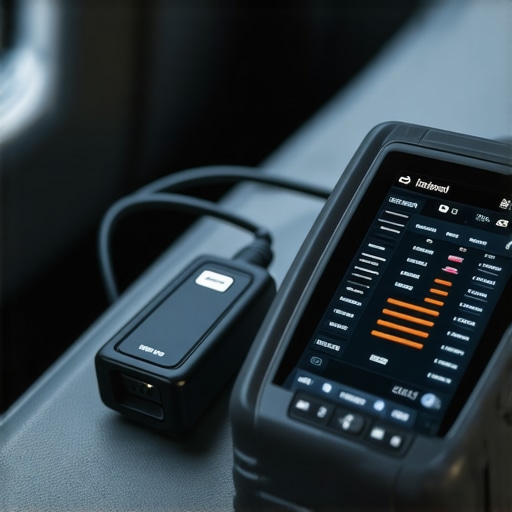
When it comes to maintaining your vehicle’s health, having reliable, precise tools makes all the difference. I personally rely on the Autel MaxiCOM MK808 scanner because it offers comprehensive vehicle diagnostics for 2026 models, supporting the latest CAN bus protocols. Its user-friendly interface helps me quickly interpret error codes and perform system resets, saving time during oil changes and brake repairs. For software updates, I subscribe to manufacturer-specific updates, ensuring my diagnostic suite remains compatible with ongoing OTA patches in newer vehicles.
Additionally, I swear by Kastar Brake Caliper Windback Tools for brake service. These tools let me replace brake pads without stressing over stuck calipers, and I’ve noticed a significant reduction in brake drag issues after regular use. For oil changes, I always choose high-flow filters to improve oil circulation and engine longevity, especially critical for high-performance engines in 2026 vehicles.
What does the future hold for vehicle maintenance tools?
As vehicle systems become more sophisticated, diagnostic tools will likely incorporate AI capabilities, predicting issues before they manifest. Already, some industry leaders are experimenting with AI sensor analysis to preempt faults, reducing downtime and repair costs. In the coming years, owning a diagnostic device with cloud connectivity might become standard, allowing real-time software updates and remote troubleshooting—making vehicle maintenance more accessible to DIY enthusiasts.
How do I maintain my diagnostic tools and equipment over time?
The key to sustainable vehicle maintenance is regular calibration and timely updates. Always ensure your scanner firmware is current; missing updates can lead to inaccurate readings, especially after OTA patches. I recommend setting a monthly reminder to check for software upgrades from your tool’s manufacturer. Additionally, keep your physical tools clean and store them in a dry environment to prevent corrosion, which can impair accuracy. Proper maintenance of your equipment not only extends its lifespan but also guarantees you precise diagnostics every time you work on your vehicle.
If you’re serious about maintaining your vehicle efficiently, I suggest trying the advanced diagnostics tips discussed here, especially calibration procedures tailored for 2026 systems. Mastering these skills will ensure you’re always a step ahead in repairing and maintaining your car, ultimately saving you money and hassle in the long run.
< >
>
By investing in quality diagnostic tools and maintaining them properly, you create a solid foundation for effective vehicle care. Remember, proactive maintenance is the secret to keeping your car running smoothly for years to come. Happy repairing!
,
The Hardest Lesson I Learned About vehicle diagnostics,auto repair,oil change,brake service
One of the most profound realizations came after I spent hours troubleshooting a mysterious diagnostic failure on my 2026 vehicle. It wasn’t the tool or the update alone but my assumption that newer cars would always support my existing equipment. That false confidence delayed my diagnosis and taught me to always verify compatibility before jumping into repairs.
3 Myths About vehicle diagnostics,auto repair,oil change,brake service That Held Me Back
Believing that all diagnostic tools are future-proof or that OEM updates are infallible cost me dearly. I discovered that many myths—like ignoring sensor calibration or neglecting firmware updates—are dangerous traps. Challenging these assumptions is crucial for anyone serious about keeping their vehicle in top shape.
What Experts Won’t Tell You About vehicle diagnostics,auto repair,oil change,brake service
Most professionals know that the devil is in the details—like understanding how OTA updates can disrupt vehicle systems or how using an outdated scanner can mislead you. Learning to interpret these nuances gives you an edge, allowing you to troubleshoot effectively and avoid unnecessary repairs.
My Essential Toolkit for vehicle diagnostics,auto repair,oil change,brake service
Equipping myself with tools like the Autel MaxiCOM MK808 and quality brake caliper tools has been transformative. These tools foster confidence, especially when combined with regular software updates from trusted sources, ensuring reliability during OTA system patches in 2026 models.
Where to Go from Here
To truly excel in vehicle maintenance, investing in knowledge and reliable equipment is just the beginning. Dive into resources like effective diagnostic tips and stay updated with manufacturer advisories. This proactive approach transforms frustration into mastery and keeps your vehicle performing at its best.
Your Turn to Take Action
Maintaining a vehicle in the age of rapid technological change requires curiosity and commitment. Have you faced a diagnostic challenge post-OTA update that taught you a lesson? Share your story below—your insights could help others avoid the same pitfalls and accelerate their learning journey.
,
More Details